
Please don’t tell me you still suffer in silence while you wait for hours inside any Bank of the Philippine Islands (BPI) bank branch? That’s so 2012!
Don’t you just wish you can go inside the bank, be served in about 5-10 minutes OR LESS and then be off on your merry way to where it’s more fun to stay for hours??
Well, YOU CAN! But since this is a bureaucratic country, you know you gotta have the right connections to get what you want, right? And this is why I want to introduce you to BEA. BEA, my dears is not an actual person, it’s an acronym for BPI Express Assist. You might have seen BEA pop-up in your favorite BPI bank branches — the one that looks like an ATM but is actually just a fancy ticket-dispenser giving you your virtual queue number so you don’t have to actually stand (assuming there are enough chairs for everyone) while you wait in line.
Now, BEA inside BPI banks is a nice addition to the service. After all, once you get your ticket, you’re in effect, guaranteed a spot. So if you realized they’re still serving #022 and you’re #099, you know you can always choose to go for a stroll in the nearby park or mall to kill time and come back (hopefully) just in time for your turn. That sounds like enough relief but in practice, it still wastes a lot of your precious time!
Thankfully, there’s a better BEA out there — and surprise, surprise — it’s a virtual/online version that’s both smarter and kinder to your feet. This virtual/online BEA (BPI Express Assist) can be accessed as an add-on feature for BPI Express clients currently enrolled with their online banking service at BPIExpressOnline.com. If you’re an unregistered client, head on over to that website and register. You’re clearly missing out on a lot of add-on features!
Now assuming you’ve had yourself registered and logged-in, I’ll walk you through the entire process of getting your virtual ticket from the online BEA facility. But first: a word from our sponsors! Nah, I’m just kidding. First, I’ll tell you how extremely wonderful it is to have online BEA in your life especially if you’re compelled to do a lot of on-site bank transactions.
1. Using online BEA makes you a ninja! You’re in and then you’re out, in minutes if not seconds! :)
2. Once your number gets called and you get served, you will get jaw-dropping stares from other bank clients who were there hours before you went in and will stay there for (hopefully not) hours more after you go. Almost everyone would think you’re some kind of VIP or Preferred Client. Hey, maybe you are!
3. Once you try online BEA, you’ll never go offline/on-site BEA ever again. They’re worlds apart!
Now, do I have your attention? Great!
How Not To Wait In Line For Hours at BPI Bank (aka How to use online BEA):
(This instruction assumes you’re already registered to BPIExpressOnline.com. If you haven’t registered yet, please do because this service is only available to logged-in/registered clients)
1. Log-in to your BPI account at BPIExpressOnline.com.
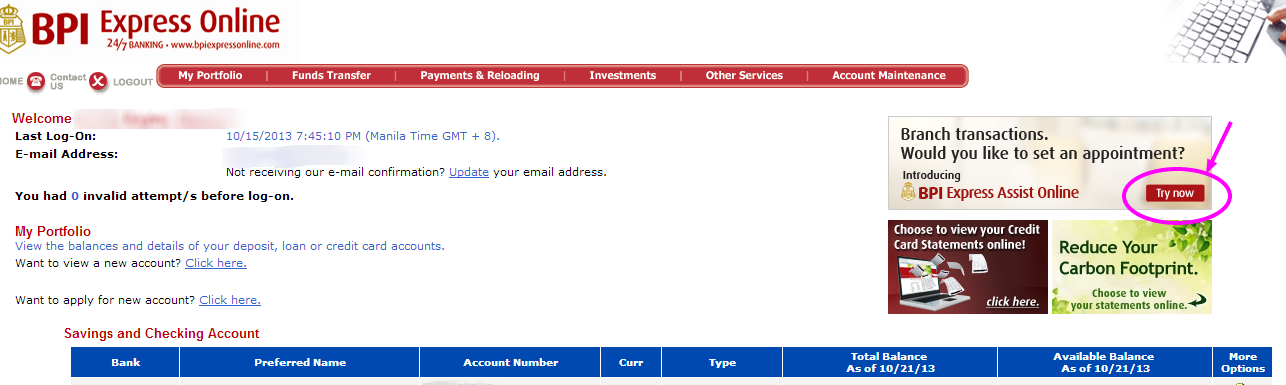
2. Check the upper right side of your account dashboard. Click on the one that says “Bank Transaction. Would you like to set an appointment? Try now.” See picture below.
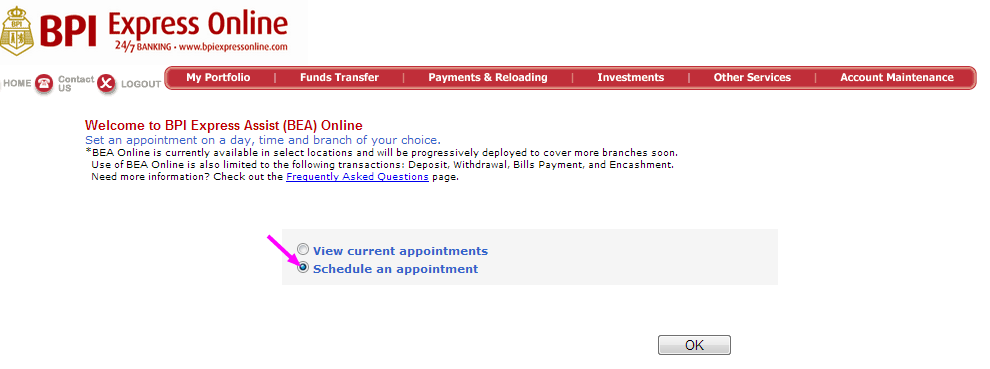
3. Select “Schedule a new appointment”.
4. Select appropriate bank details from the pull-down menus.
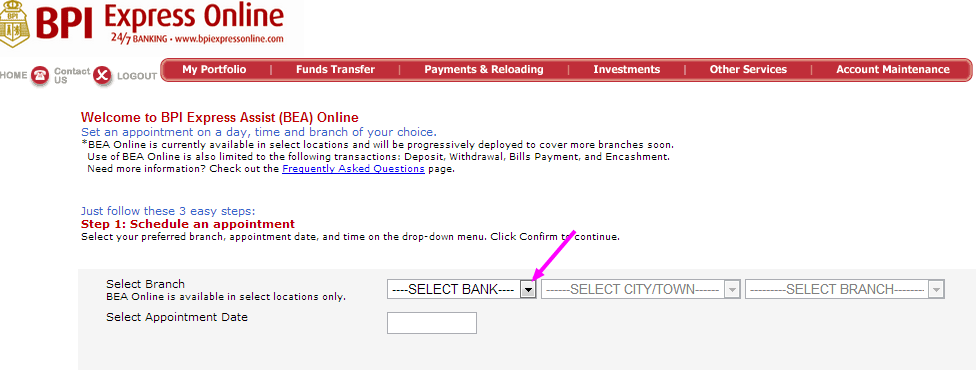
5. Select the appointment date.
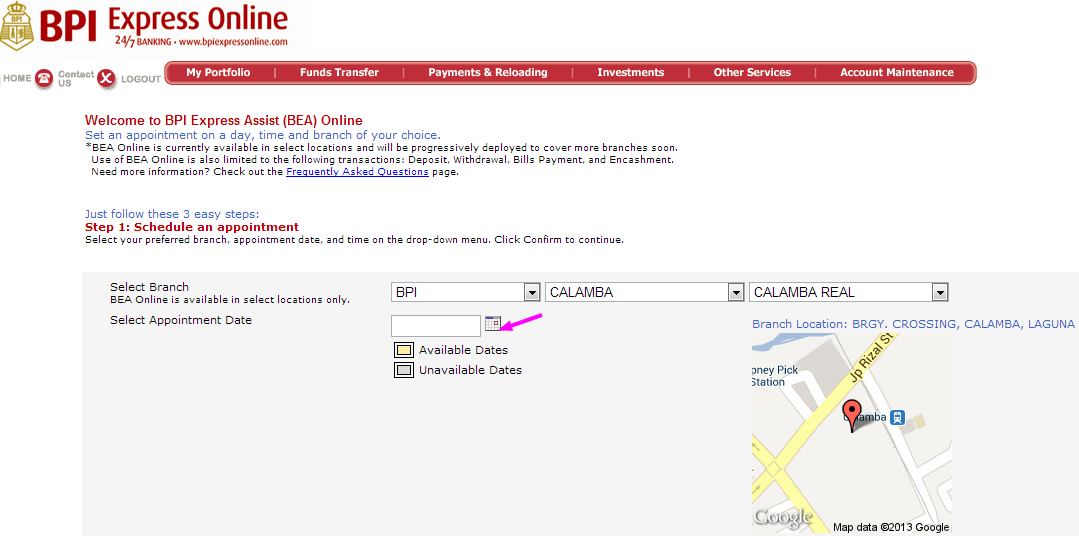
6. Select the appointment time. *You’ll notice that there’s a 30-minute window per schedule. This means that your electronic number, say E1234, scheduled at 2:30-3:00PM will flash across the screen at 2:30PM and every 5 minutes thereafter until 3:00PM while it waits for you to approach the counter. That should give you ample time to get to the bank. Now, if you’re sure of the time schedule you chose, click on “Confirm”.
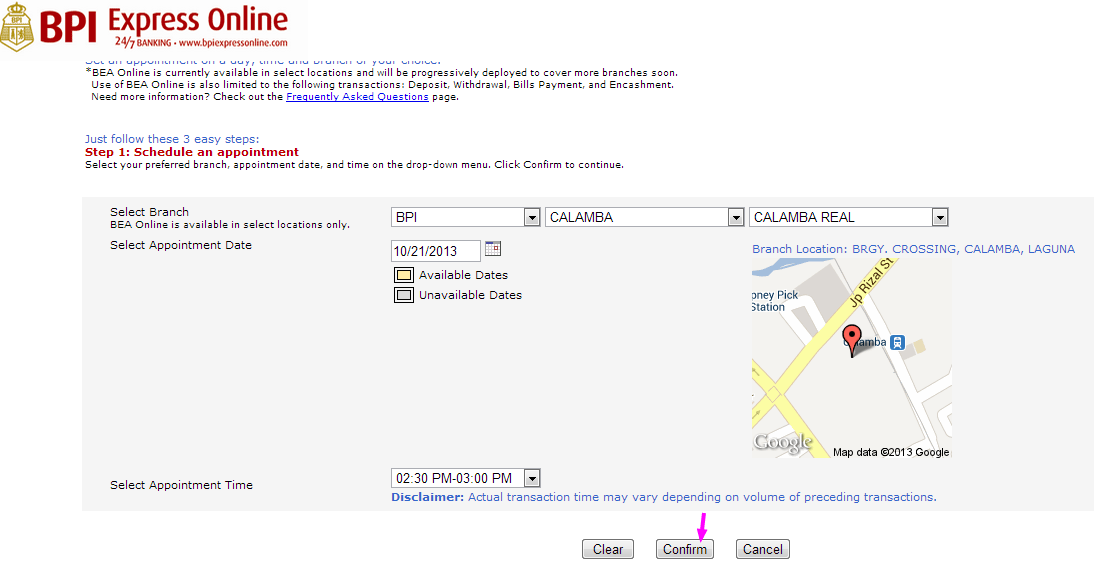
7. A transaction selection pull-down menu will appear. Select your desired transaction. (ie., Deposit, Withdrawal) and then, fill in the necessary details.
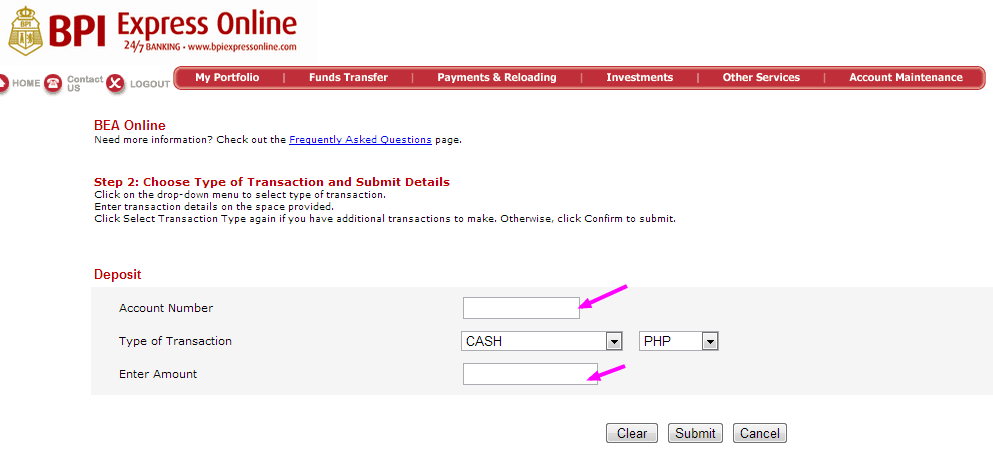
8. Review your details and select another transaction (for multiple transactions), otherwise click on “Confirm” when you’re done.
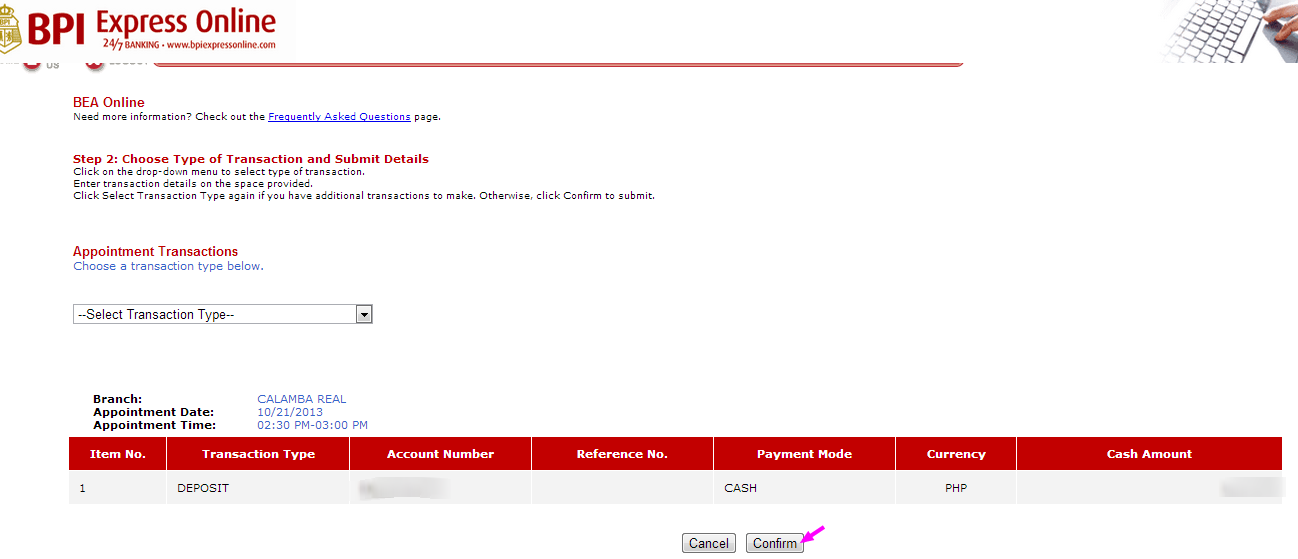
9. After confirming your desired transaction, BEA will give you your Electronic Queue Number. Yay!!!
Now, see that little printer icon right there? Lower right corner? Hit that to print your number so you have something to give to the pretty bank tellers. Technically, you don’t need to print it. All you need to do is to take note of your electronic queue number, BUT sometimes, other tellers require it, for reasons beyond me. So just to be sure, print it.
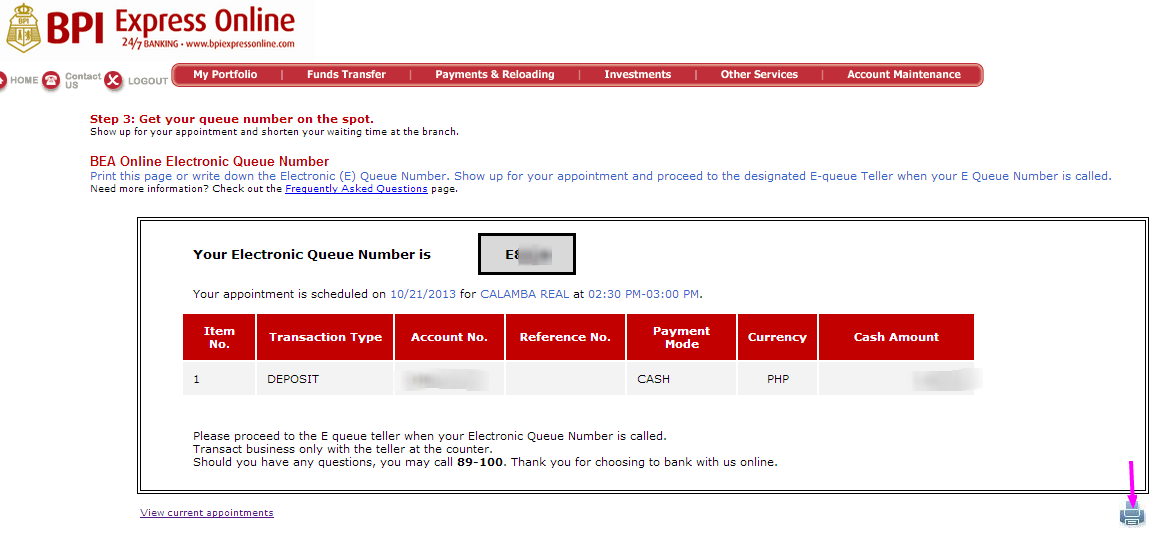
10. Run to your bank and make sure you get there on time. Otherwise, you either get yourself a new ticket from on-site BEA or if the bank is about to close, you’d have to come back another banking day. I hope you make it on time, every time!
I hope this little tutorial helps you and if it did, please share this to your family and friends so you can help them have ninja powers too! :)
Happy banking!



Let me know what you think… :)